

Break down brick walls in record time
Genealogy Assistant adds over 100 powerful tools to Ancestry, MyHeritage, FamilySearch, 23andMe and the other genealogy websites you already use.


 Available for Chrome, Edge, Firefox and Safari
Trusted by over 8,000 genealogists and family historians around the world

This extension is simply astonishing. It would be easier to list the things it can’t do than the things it can – except I haven’t yet found anything it can’t do!
After using the Genealogy Assistant for one day, I was hooked. After using it for a couple of months now, I couldn’t manage without it!
I can’t say enough good things about this extension. The time it saves is invaluable… It makes the important stuff on the page stand out.
Powerful tools for every genealogy website you use, all working together
Genealogy Assistant connects the different websites you use into a unified research platform. It takes away the “busy work” and helps you focus on uncovering the connections that reveal our fascinating family histories.
All your trees, tests and multi-platform search at your fingertips
Press Alt + Q on any web page, then type a few letters to find your DNA tests, people in your trees and record collections, or search any platform in plain language.
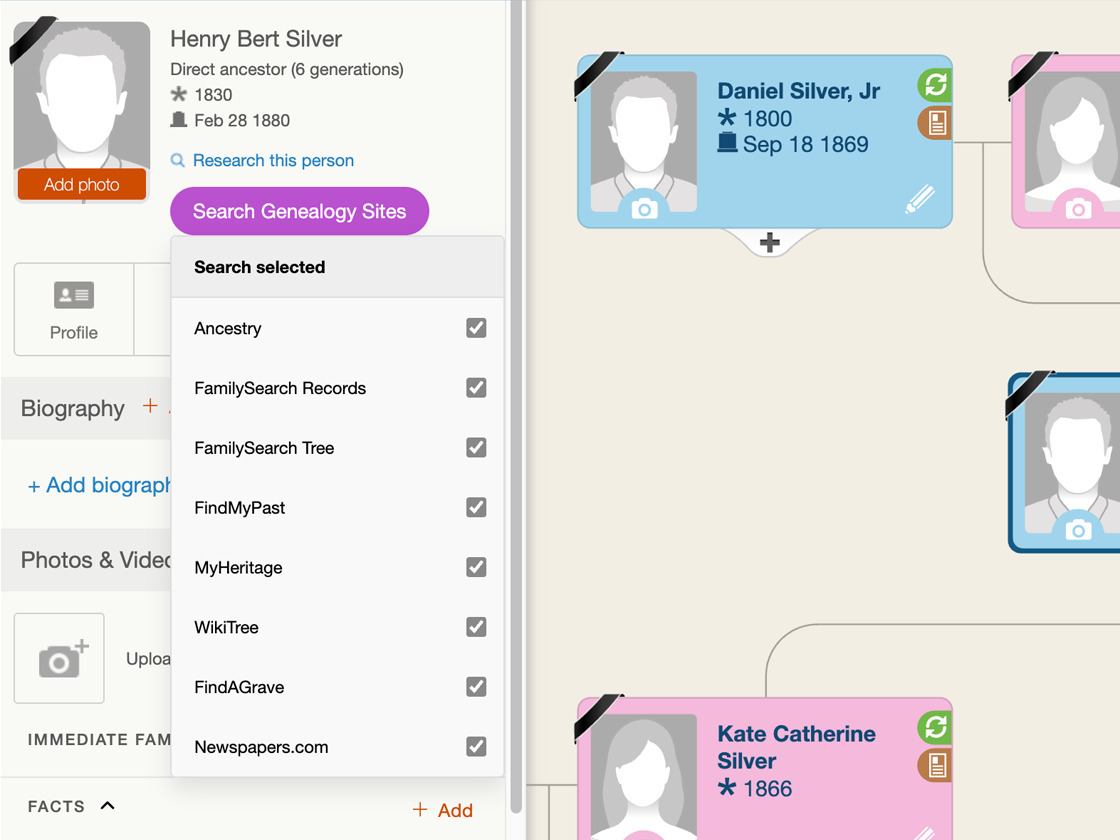
Search someone across multiple genealogy websites with a single click
Genealogy Assistant connects the family history websites you use daily, so you can work across platforms with ease. Search multiple sites at once from any family tree.
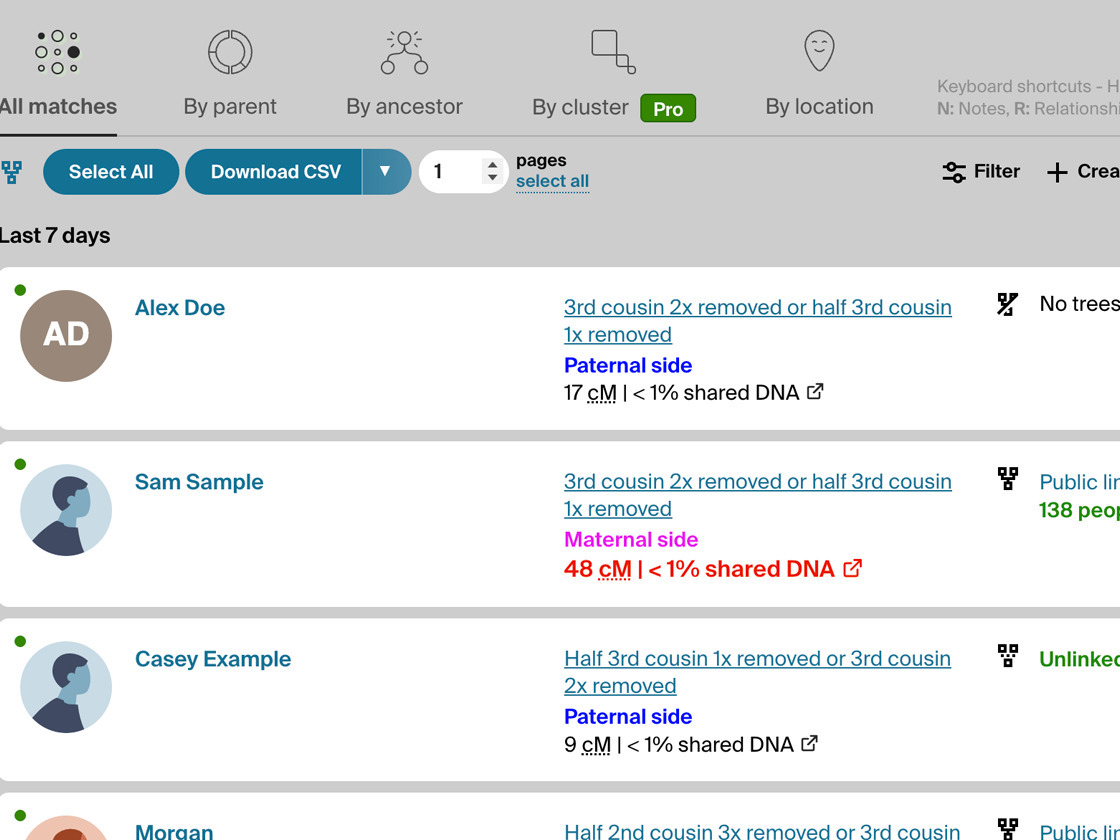
Automatically highlight matches of interest with customizable settings
Our highlighting tools make things like shared centimorgans, tree sizes and segment data stand out, based on your own unique research needs.
Try Genealogy Assistant free for 30 days
All you need is an email! No credit card needed. Updated multiple times every week as platforms change. One account covers all of your own computers and browsers.
Explore our free tools for genealogists

OpenTranscribe
OpenTranscribe uses any local or public AI model to transcribe handwritten text at a fraction of the cost. It also serves as a library to search new and existing transcribed documents.
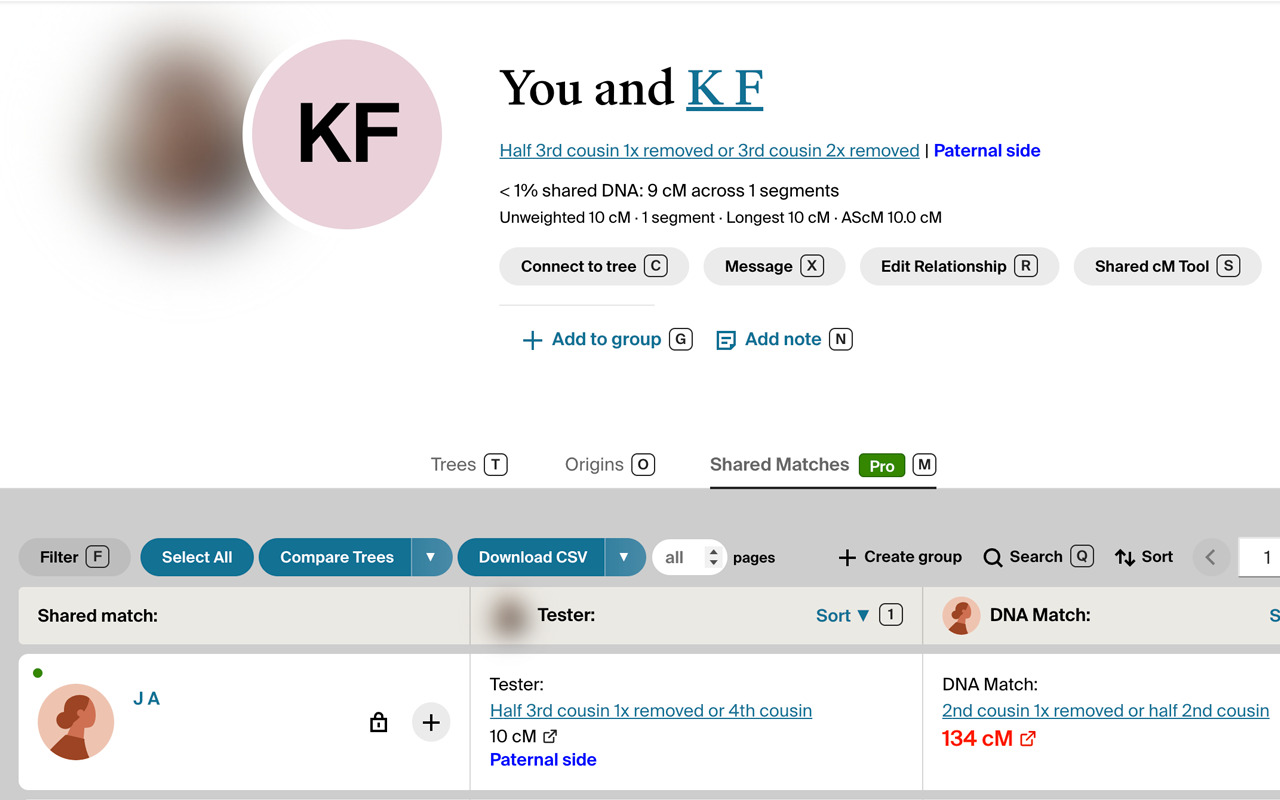
Genealogy Blurring Tool
Genealogy Blurring Tool is a free extension that automatically blurs sensitive details like DNA match names and names of living people on popular genealogy websites.
Install it for Chrome, Edge, Firefox or the Mac App Store.