


OpenTranscribe HTR Tool
Transform handwritten documents into searchable text
OpenTranscribe is free software that helps genealogists, historians, and researchers transcribe large collections of historical documents using local and open public AI models.


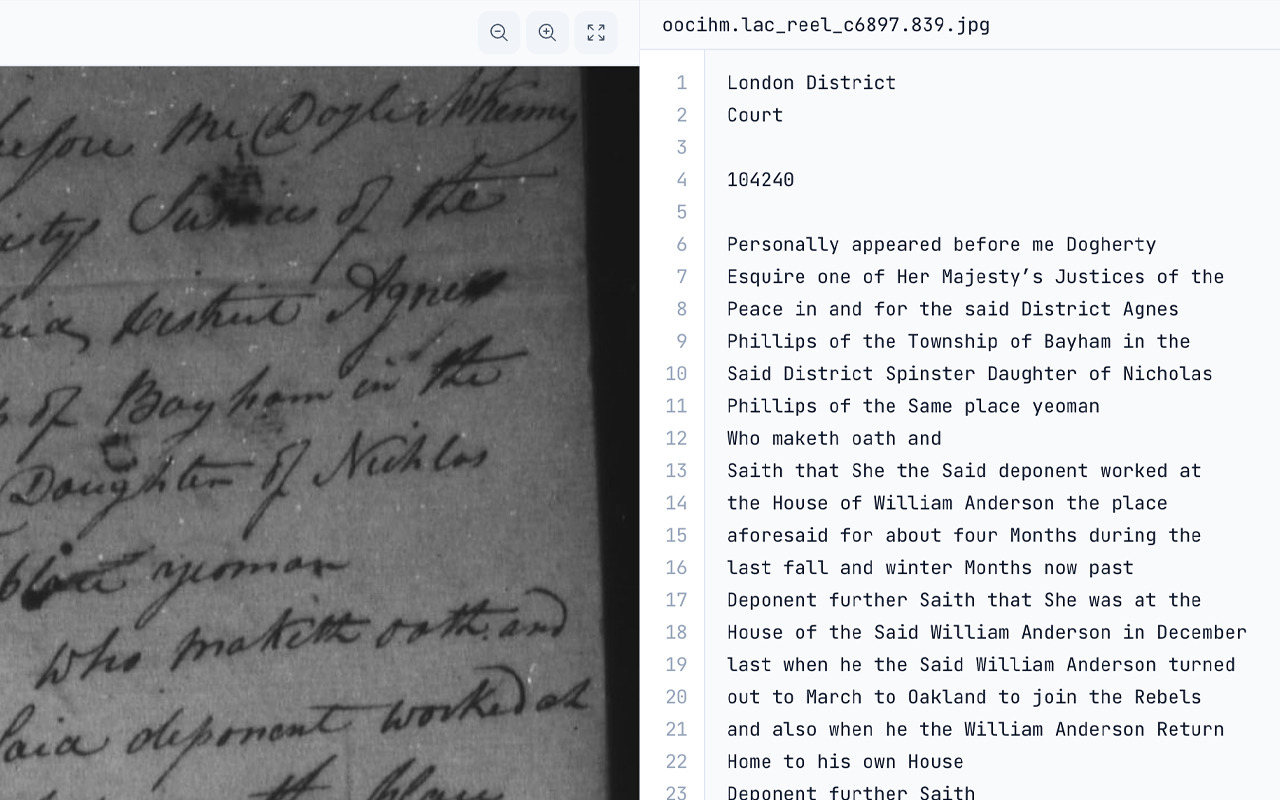
Here’s why OpenTranscribe is a great choice for handwriting transcription
Researchers love OpenTranscribe because it’s open, affordable and customizable. Transcribe hundreds of pages for less than one dollar (USD) using accurate, budget-friendly models like Gemini 2.5 Flash, with prompts and parameters that can be easily modified.
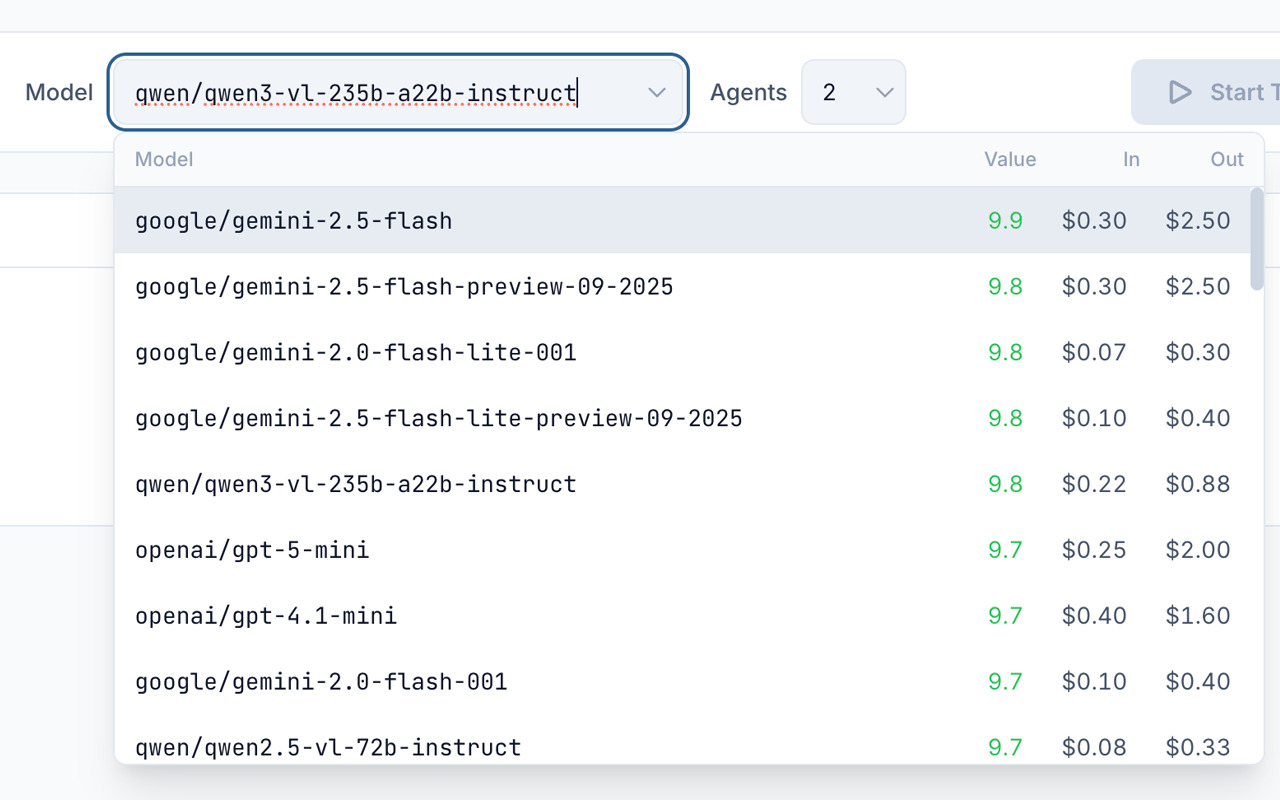
Choose the best AI model for your documents
Choose from 100+ AI models via OpenRouter, Google Gemini, OpenAI or Anthropic, with helpful rankings.
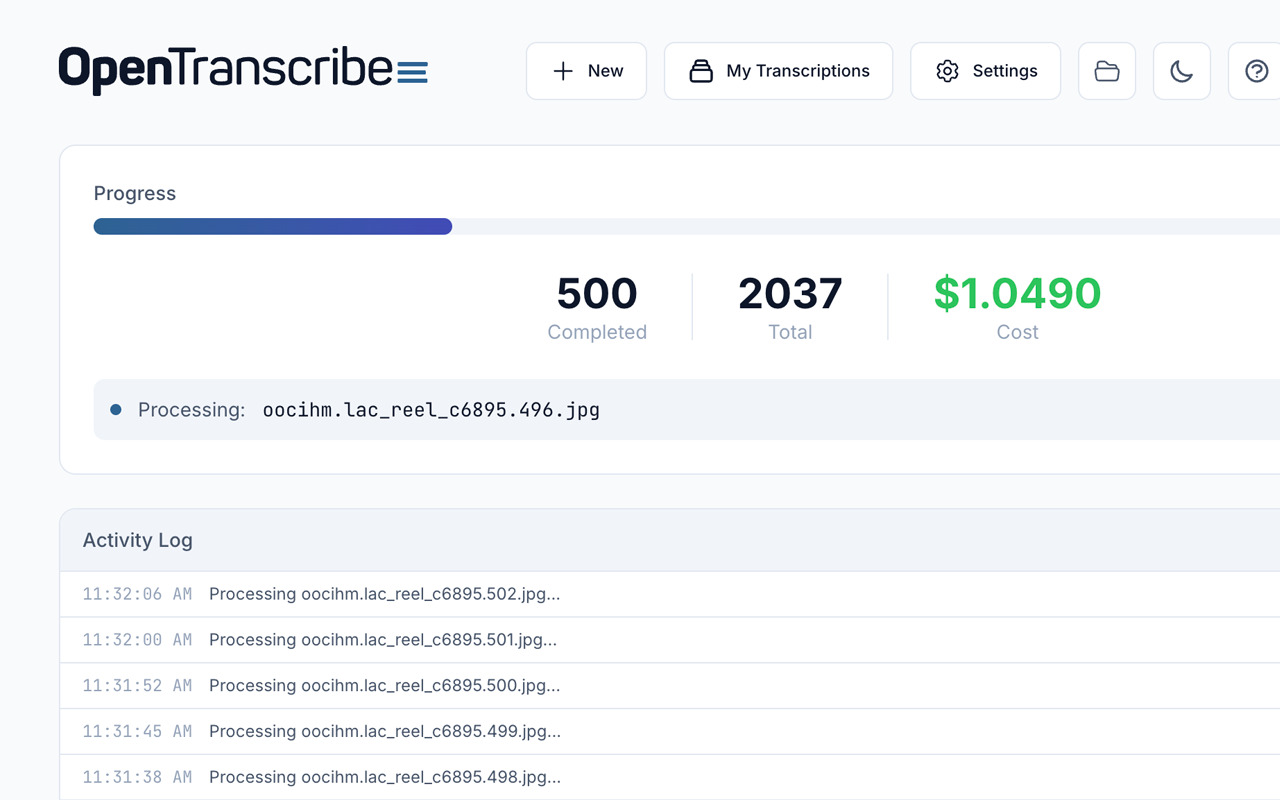
Process a whole folder in a single batch
Drag and drop entire folders into OpenTranscribe to process thousands of images within a single batch.
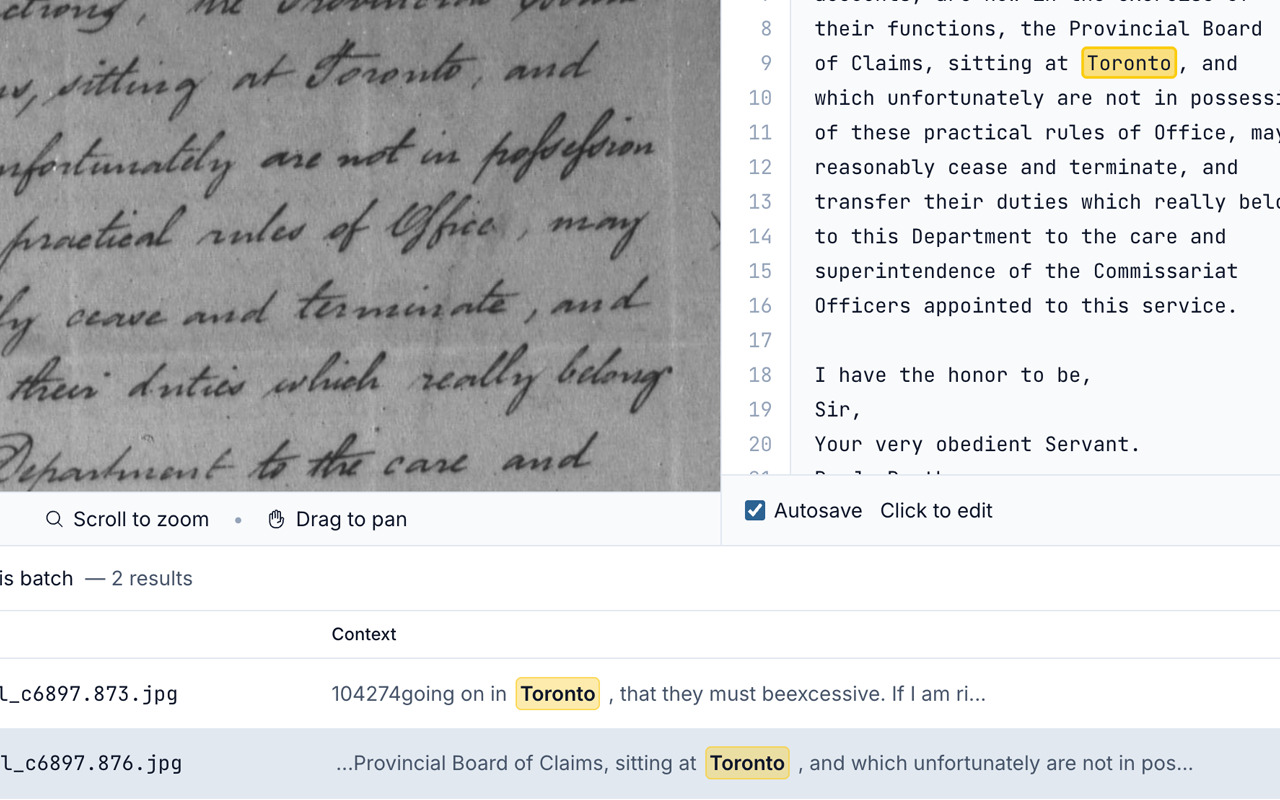
Find any word across your whole library
Search your entire transcription library by keyword at lightning speed, with live highlighting of every match.
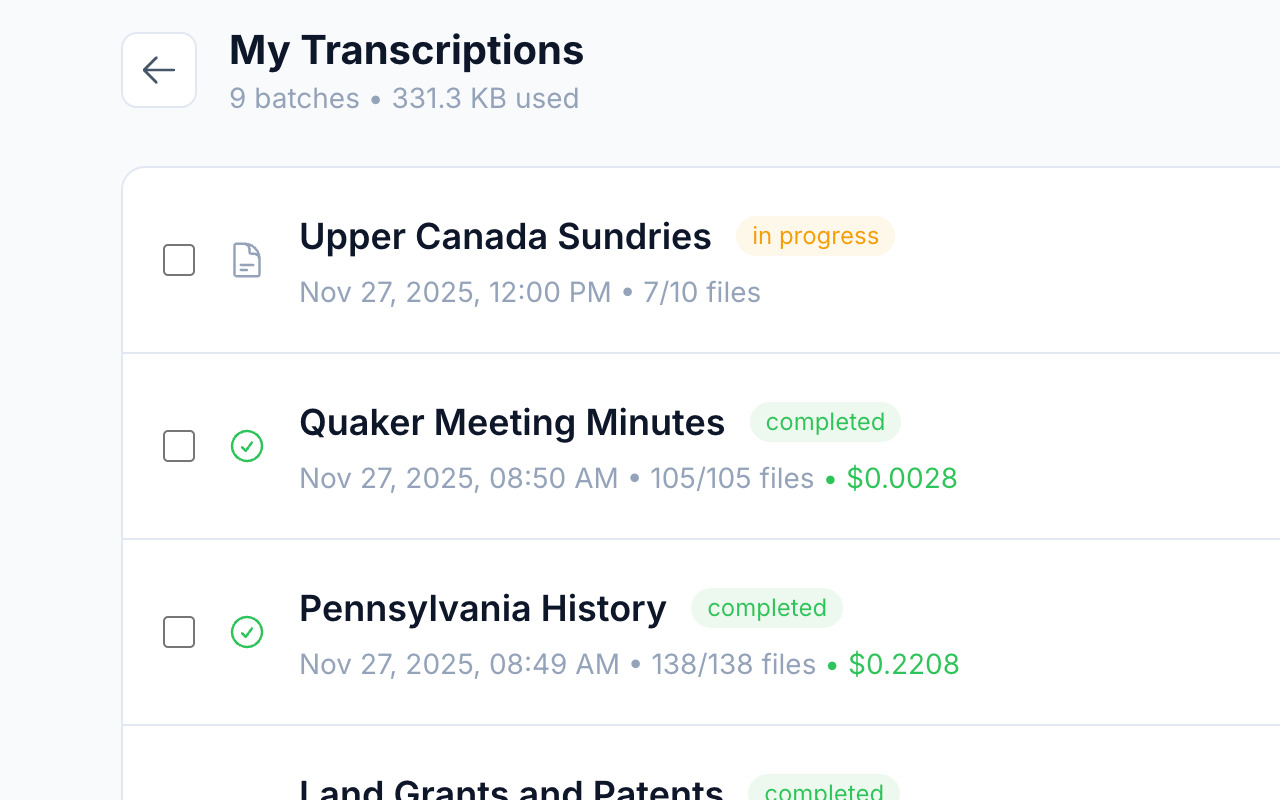
Keep every transcription at hand
All transcription batches are saved as local files on your computer, ready to back up, move or delete.
Everything you need to transcribe a collection
OpenTranscribe is designed for genealogists transcribing historical documents, historians working with archival collections, researchers processing large document sets, and anyone with handwritten documents they need to read.
Run AI models on your own computer
Use any model running locally on your computer with one-click support for Ollama, LM Studio, llama.cpp and vLLM.
Make faded documents easier to read
Enable Smart Adjust with one click to optimize your images, so AI models can read them more accurately.
Correct transcriptions beside the original
Use the built-in editor to correct or reprocess your transcriptions side by side with the original image.
Transcribe several pages at once
Process multiple transcriptions simultaneously with our configurable agents, to maximize efficiency and save time.
Export to the formats you already use
Export as PDFs with or without the source images, plain text, CSV, or XML files to suit your workflow.
Transcribe images and multi-page PDFs
Transcribe JPG, PNG, and PDF files. Multi-page PDFs will be split into individual files, one per page.
Transcribe 100 images for less than 25 cents
OpenTranscribe is free, and supports free models running locally on your computer. Built-in models can transcribe 100 images for less than 25 cents (USD). OpenTranscribe requires an API key from your chosen AI provider and costs are paid directly to them based on the model you select.
OpenTranscribe runs entirely on your computer
Your documents and API keys never leave your machine except when they are sent directly to the AI provider of your choice. OpenTranscribe does not collect, store, or have access to your documents, transcriptions or API keys.
We are here to help
Installing on Windows?
Our step-by-step guide shows you how to install the OpenTranscribe desktop app on Windows and get it ready to transcribe.
Read the Windows guideSomething not working?
If you are experiencing a bug in OpenTranscribe, click “Report a bug” on the Help page or use our feedback form.
Report a bugQuestions or feedback?
Click the “Help” button at the top of any page for support and frequently asked questions, or email us at [email protected].
Email us